Secure remote access to your company's computers
Reach and control your Windows PCs from any phone or browser. Passkey sign-in, roles and permissions, and a complete audit trail are included in every plan.
14-day free trial, set up with our team. Plans from $9.90 a month.

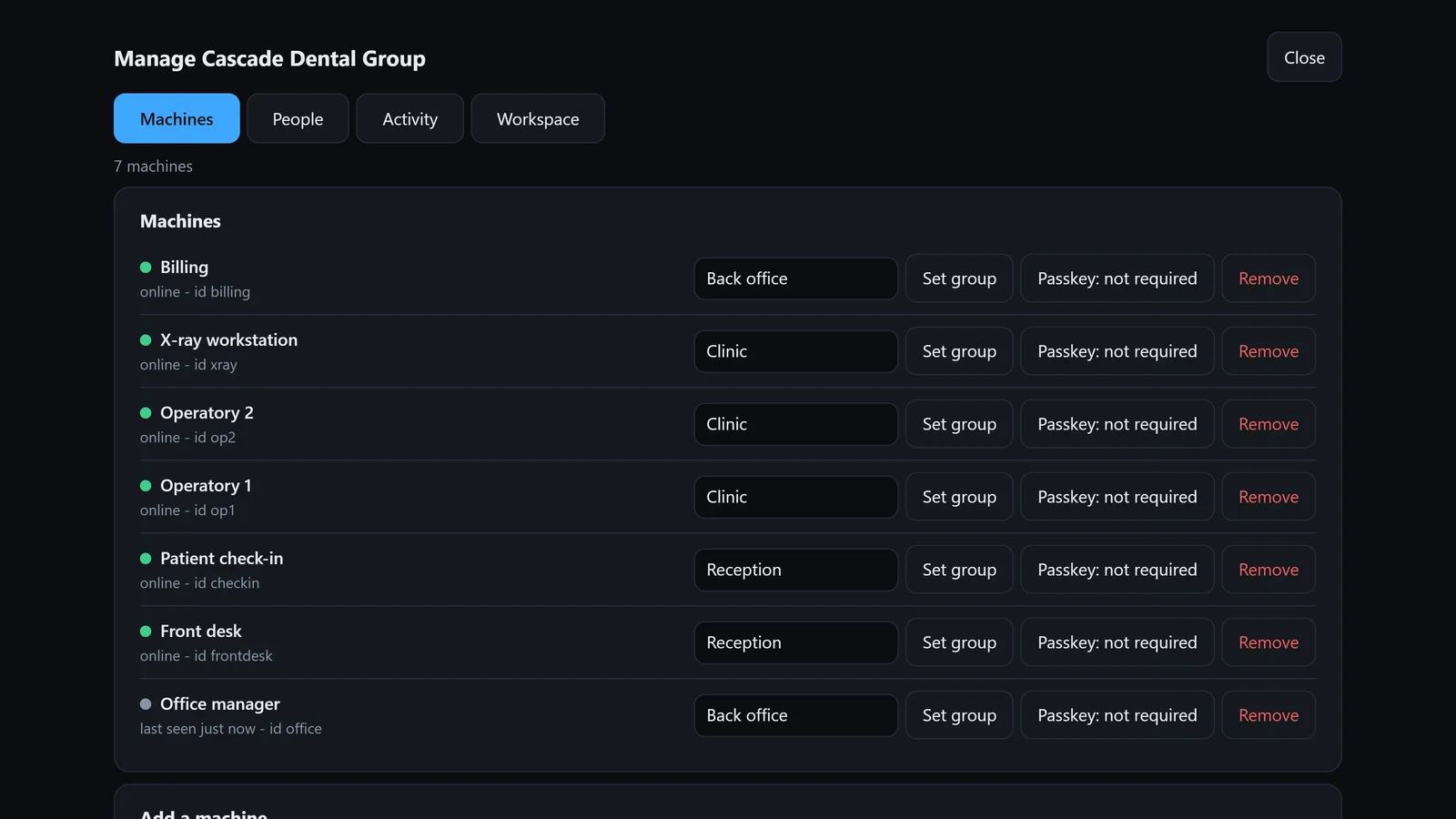
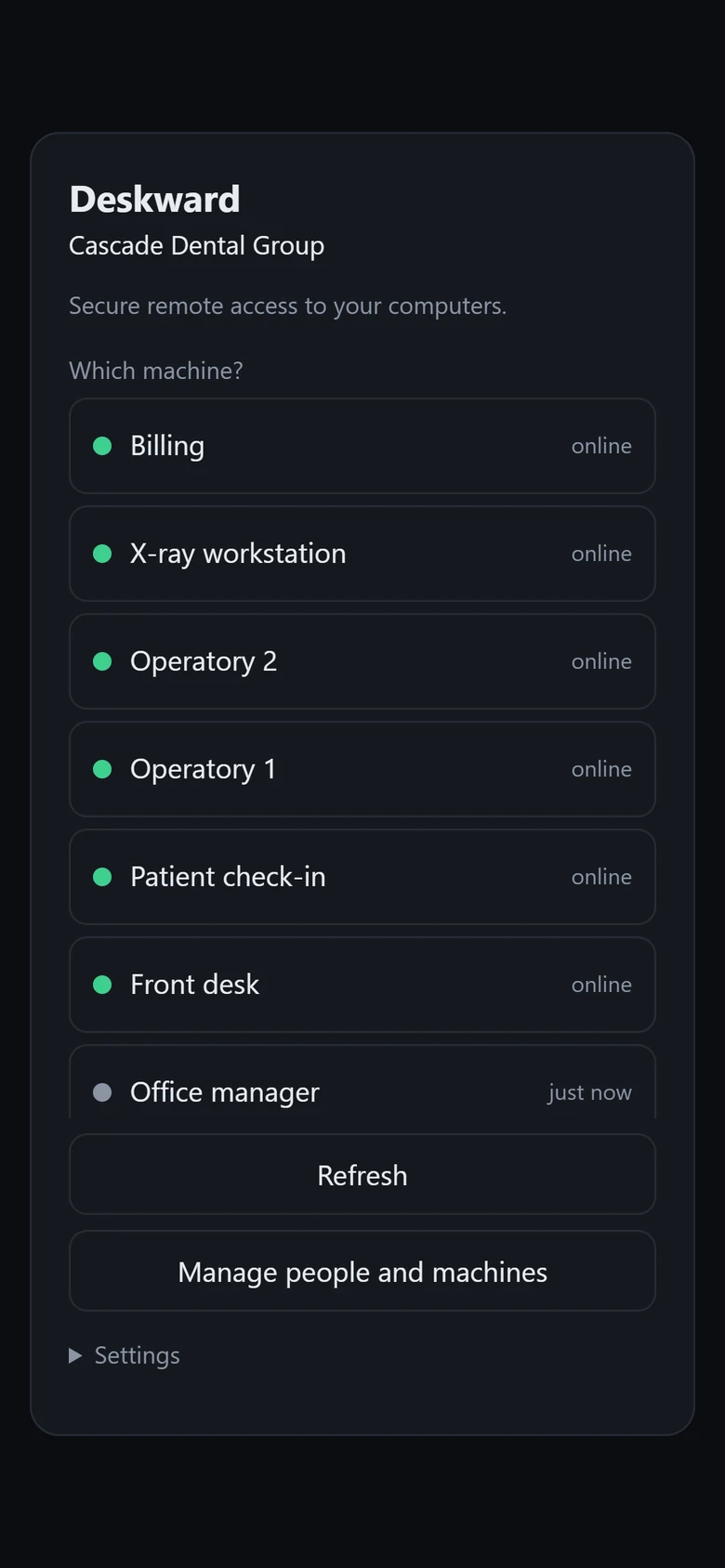
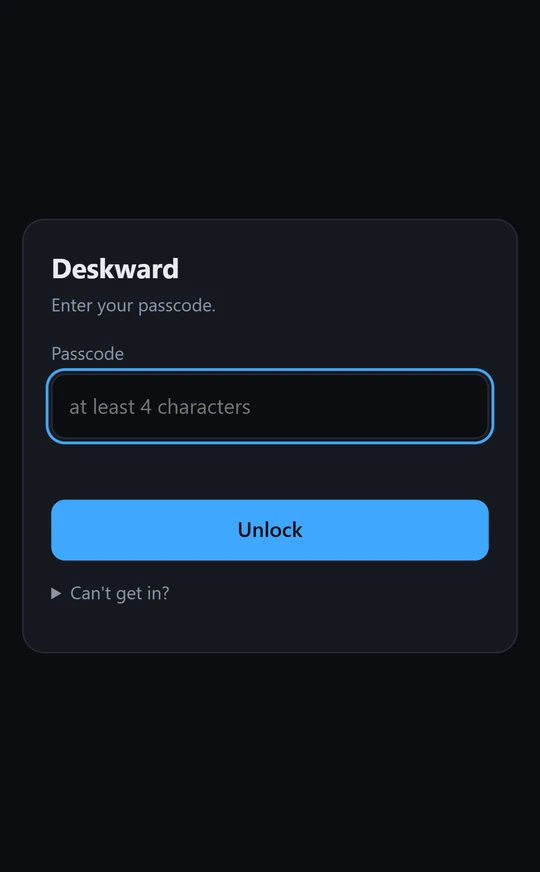
Screens from the Deskward app, shown with demo data.
- Software signed by DDD ONEILL LLC
- Encrypted connections
- Passkey sign-in
- Windows 10 and 11
Why Deskward
Remote access you can trust with your business, at a price a small office can afford, and simple enough for everyone who uses it.
Secure by design
Remote access is a key to your business, so Deskward is built to keep it in the right hands.
- Passkeys instead of passwords: nothing to phish, steal or reuse
- Encrypted between your device and the computer, and never recorded
- The person at the computer sees every session and can end it
Affordable, with nothing held back
One price for your whole company, from $9.90 a month billed yearly.
- Every feature in every plan, including company sign-in and the audit log
- No charge per session: all your computers can be in use at once
- Free setup with our team, and the first 14 days free
Simple for everyone
Nothing new to learn for the people who use it, and little to look after for you.
- No app to install on phones: it runs in the browser
- No ports to open and no router to set up
- A signed installer for one PC, an MSI for hundreds
How Deskward protects your computers · Questions and answers
Your computers, from your phone
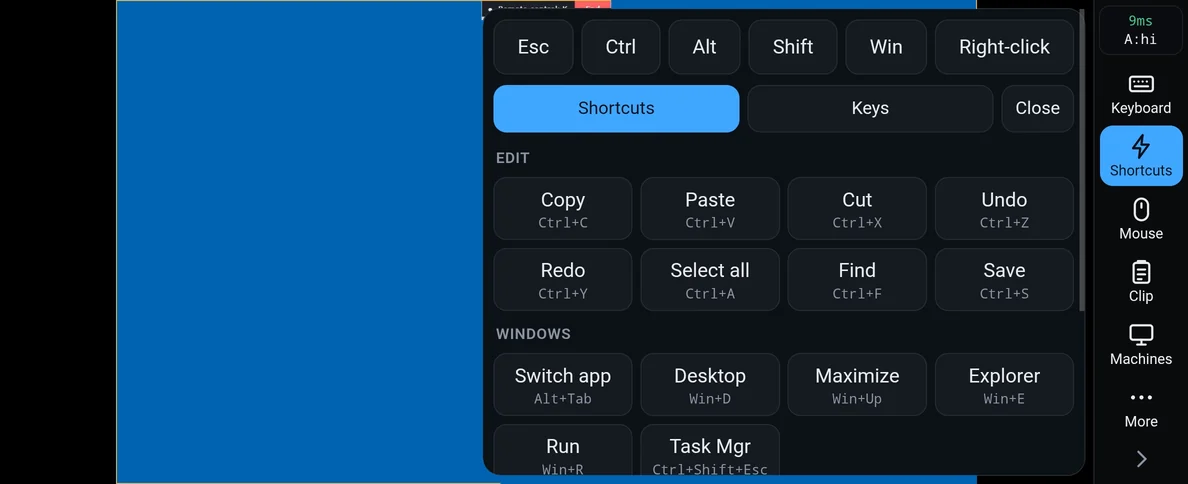
Open your company's Deskward address on a phone, tablet or laptop and confirm with your fingerprint or face. Pick a computer and you are on its desktop, with touch and keyboard that work the way you expect.
- No app to install on the phone; it adds to the home screen
- Copy, paste, Alt+Tab and Task Manager, one tap each
- A smooth, sharp picture on Wi-Fi and on cellular
- Files in both directions, sound and clipboard
Or from another computer
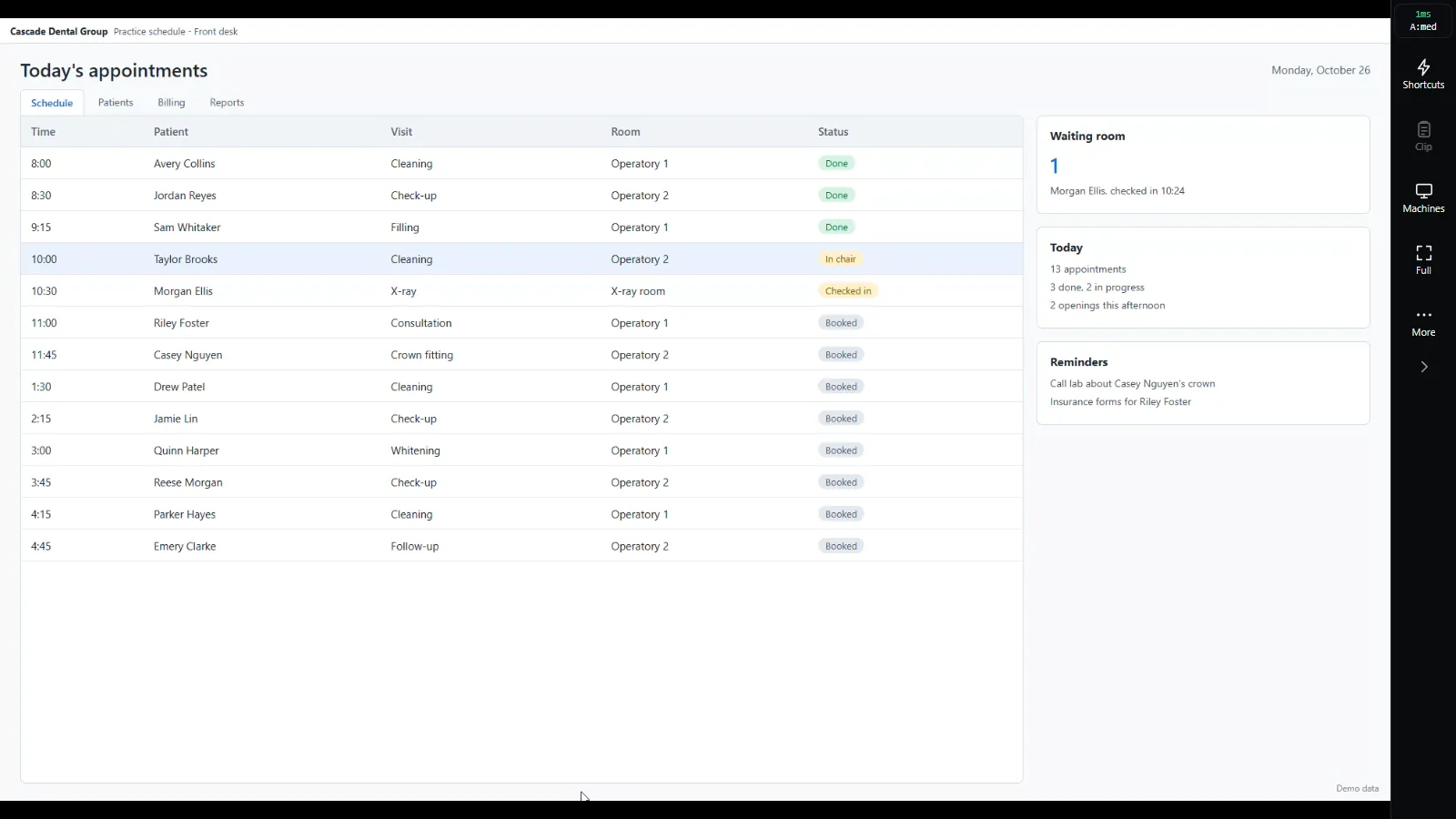
Open the same address in a browser on your laptop or home PC, or in the Deskward app for Windows. The computer you reach fills the window, and your own mouse and keyboard drive it.
- Keys go to the computer you reach, F5 and Alt+Left included
- Paste what you copied on your own computer straight into it
- Full screen, and a switch to your other computers in one click
People, permissions and a record of everything
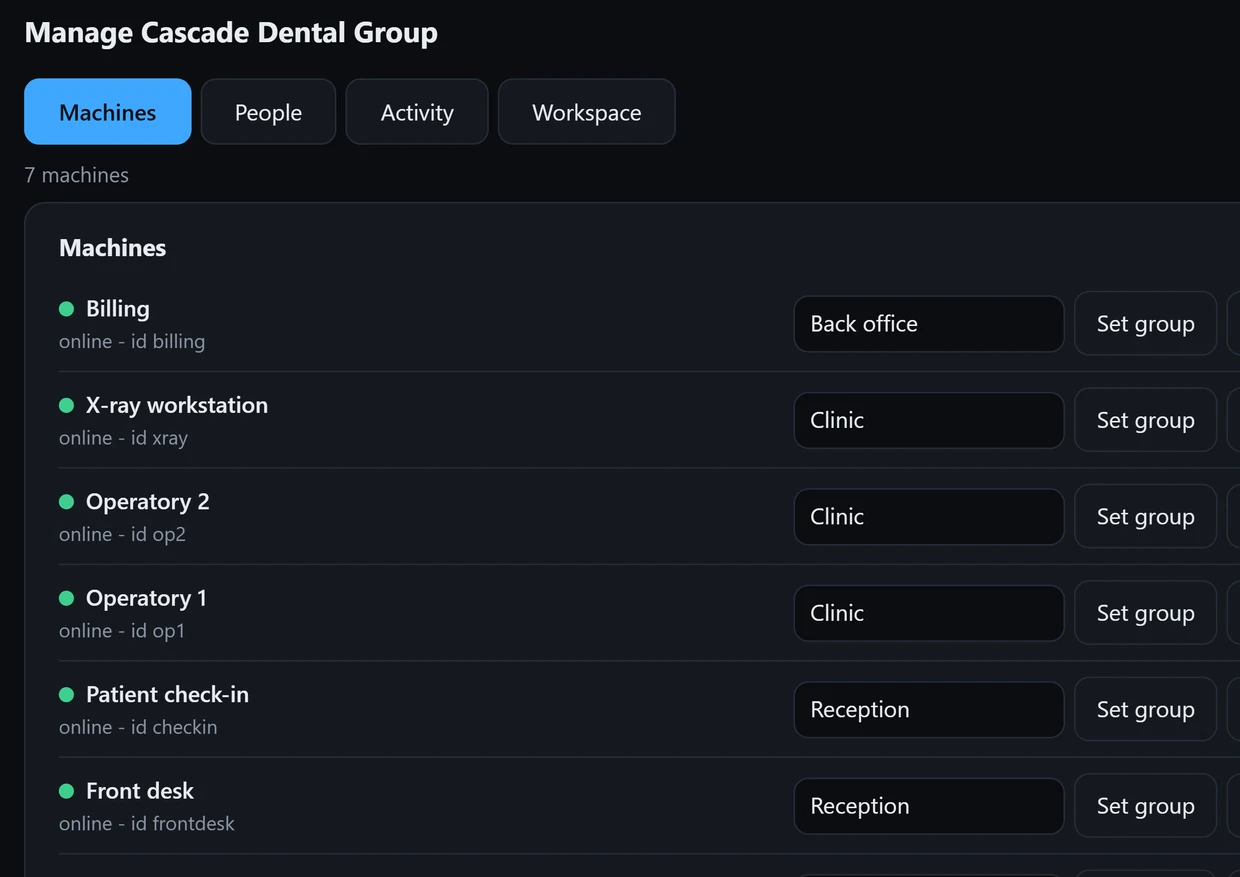
Add your team as owners, admins, technicians or view-only viewers. Put computers in groups and give each person exactly the computers they need. Every sign-in, change and session is kept for 400 days, ready to export.
- View-only enforced by the computer itself
- Removing a person ends their sessions at once
- Company sign-in with Microsoft Entra ID or Google Workspace
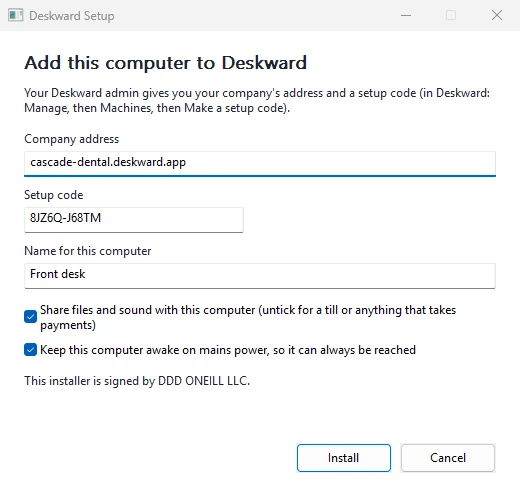
Add a computer in a few minutes
Run the installer on the computer, type your company address and the one-time setup code from your account, and it appears in your list. For many computers at once, roll out the Windows Installer package with Intune, Group Policy or SCCM.
- Installs only into a Deskward account
- Checks every download against our release signature
- Setup codes work once and expire after 15 minutes
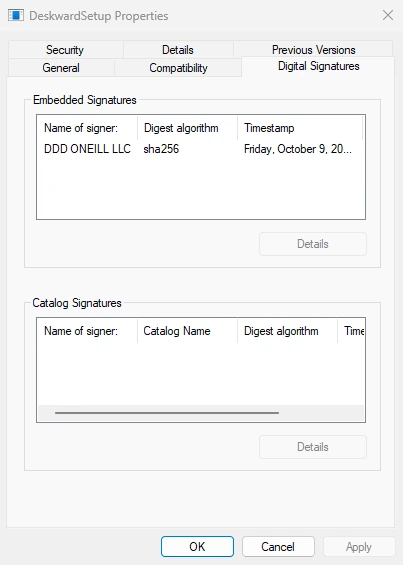
Built for the trust remote access needs
Every Deskward program and installer is signed by DDD ONEILL LLC through Microsoft's code-signing service, after Microsoft verified the company. Windows shows the signer before anything is installed.
- Updates install only after they pass our release signature check
- Connections encrypted between your device and the computer
- Each company in its own isolated account
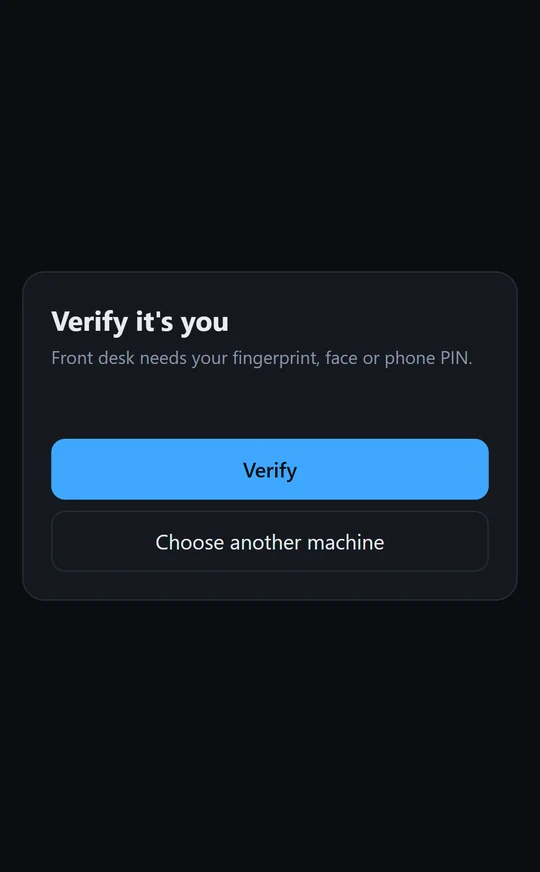
A fingerprint before a computer opens
Choose which computers need a passkey. Before Deskward connects to one of them, the phone asks for the person's fingerprint, face or phone PIN. The app itself is locked with a passcode.
- Passkeys instead of passwords
- On those computers, a session left idle for 15 minutes locks until the person verifies again
- A visible notice on the computer during every session, with an End button
Simple pricing
Every plan includes every feature. Billed once a year; no limit on simultaneous sessions.
Starter
For small offices and shops.
$9.90 / month
$118.80 billed yearly
- People 3
- Phones and browsers 10
- Computers 50
Business
For growing teams and IT providers.
$29.90 / month
$358.80 billed yearly
- People 15
- Phones and browsers 50
- Computers 300
Corporate
For larger companies and many sites.
$59.90 / month
$718.80 billed yearly
- People 30
- Phones and browsers 100
- Computers 500
Prices in US dollars, before tax. Compare plans. Need more? We size custom plans.
Questions
What do I need to install?
Only the Deskward agent, on each Windows computer you want to reach (Windows 10 or 11, 64-bit). On your phone, tablet or laptop you open your company's address in the browser.
Can I connect to Macs or Linux computers?
Not yet: the computers you connect to must run Windows. You can connect from almost anything with a modern browser, including Macs, iPhones, iPads and Android phones.
Is there a limit on connections?
No. Plans count people, devices and computers, never simultaneous sessions: every computer on your plan can be in use at the same time.
How does the free trial work?
Tell us about your team on the Get started page. We create your company account and you use Deskward free for 14 days, with no card. Nothing is charged when the trial ends: if you keep Deskward, we invoice you for the year.
Is paying online safe?
Yes. You enter card or bank details on Stripe's own page, at an address that starts with https://invoice.stripe.com, and they go straight to Stripe, a payment provider certified to PCI DSS Level 1. Deskward never sees or stores your card number, and we never ask for card details by email or phone.
Does anyone record my sessions?
No. Deskward does not record or store what is on your screen. Sign-ins, changes and connections are logged for your audit trail; the picture itself goes between your device and the computer, encrypted.
Who is behind Deskward?
Deskward is made by DDD ONEILL LLC, a Washington State company in Kennewick. Write to sales@deskward.app with any question.
Try Deskward with your team
Fourteen days free, set up with you, on your own company address.